Procedural WAVs
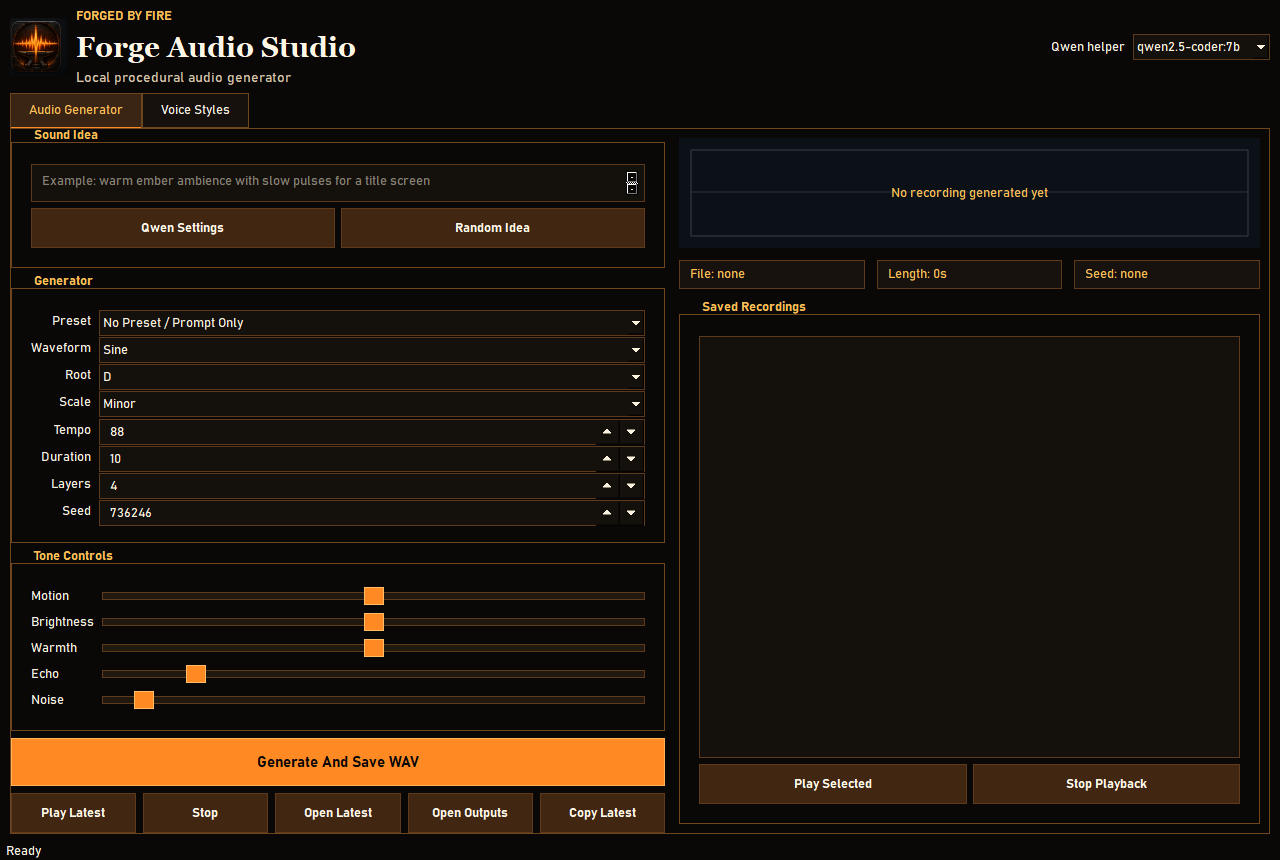
Build local WAV effects with editable generator controls, waveform preview, playback, and saved JSON metadata beside each render.
Local audio, voice lines, and model-assisted sound design
Forge Audio Studio combines procedural audio controls, Windows voice rendering, saved voice profiles, and optional Ollama model help for turning sound ideas into generator settings.
Build local WAV effects with editable generator controls, waveform preview, playback, and saved JSON metadata beside each render.
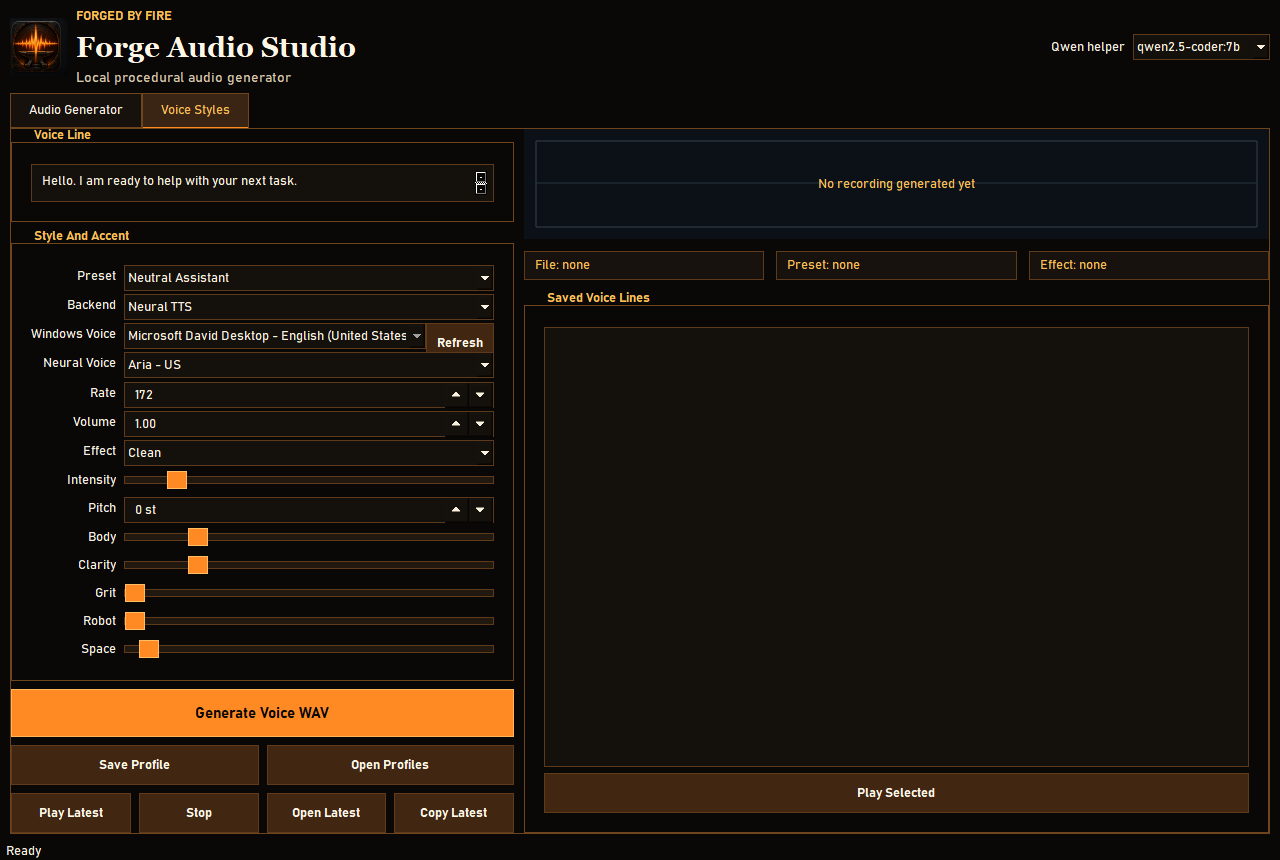
Generate assistant-style speech from Windows TTS or optional Edge neural voices, then shape pitch, body, clarity, grit, robot tone, and space.
Save voice profiles as local JSON so other desktop assistants or tools can create matching response clips later.
With Ollama running, a local model can convert plain-English sound ideas into generator settings for faster experimentation.
Forge Audio Studio is not just a plain audio utility. The AI-assisted settings workflow requires Ollama running locally with a compatible model installed.
Recommended local models are qwen2.5-coder:7b for normal use and paul-qwen30b:latest for heavier prompt-to-settings guidance if your machine has enough room.
Manual generator controls and Windows TTS voice rendering can still run without the model helper, but the intended prompt-driven workflow needs the local model available at 127.0.0.1:11434.
Version: 1.0.0
Platform: Windows desktop app
File: Portable ZIP, 70.4 MB
Cost: Free
How to run: Download the ZIP, extract it, then open Forge Audio Studio.exe.
Privacy: Generated audio, metadata, and saved voice profiles stay in the extracted app folder unless you move or publish them yourself.
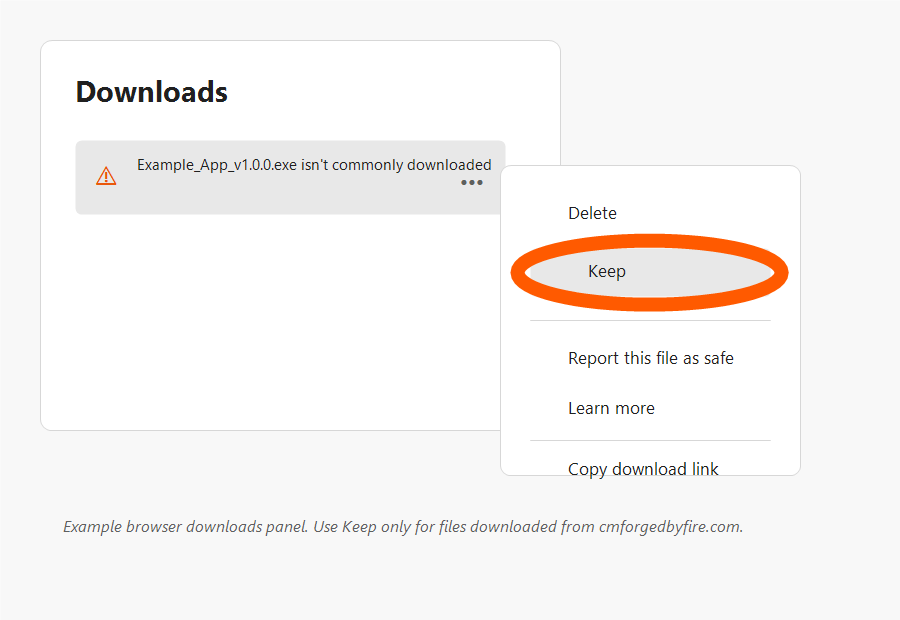
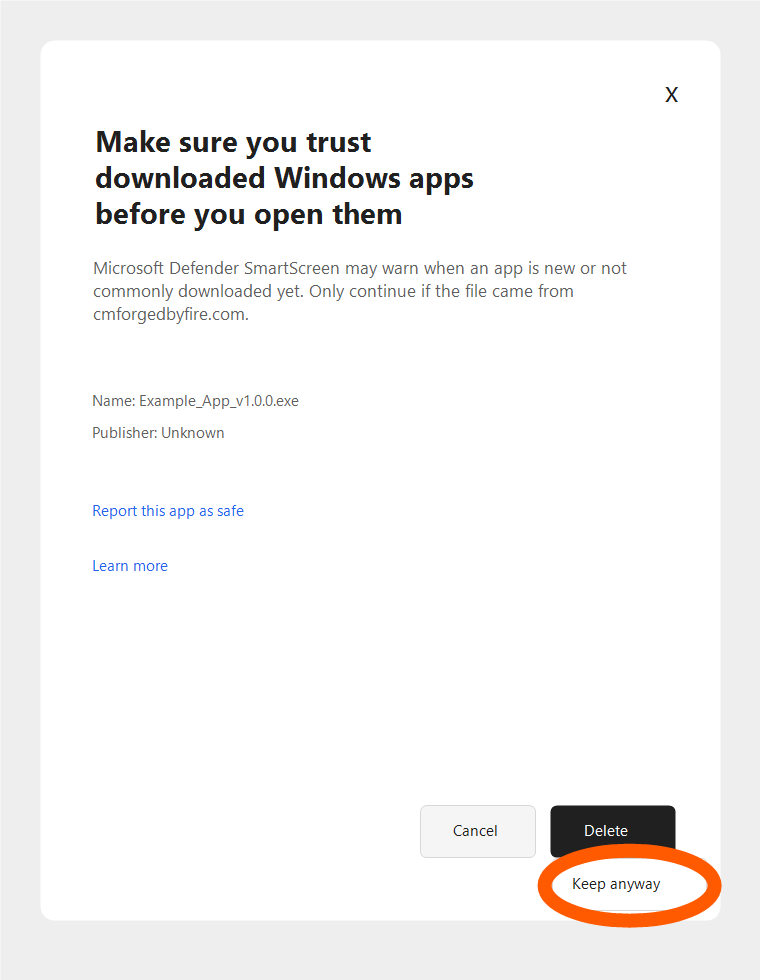
Forge Audio Studio is new and not code-signed yet, so Microsoft Defender SmartScreen may warn that it is not commonly downloaded. Only continue if you started the download from cmforgedbyfire.com or the official cmforgedbyfire GitHub release.
Neural TTS: Edge neural voices require internet access and ffmpeg available on PATH. Windows TTS works offline but depends on installed Windows voices.
Model helper: The app talks to local Ollama only. It does not include a model in the ZIP.
Feedback: Use the support page with the preset, model, and voice backend you tested.