Seven QR types
Website/link, contact card, email draft, text-message draft, phone number, Wi-Fi connection details or plain text. Enter your own information and save reusable website presets.

QR codes and printable cards for Windows
Windows · v0.1
Create QR codes for links, contact details, messages, Wi-Fi and plain text. Customize the colors, add your own center icon, and save a standalone QR image or a printable card.
Now available free on Microsoft Store. Download Creative QR for Windows and start creating.
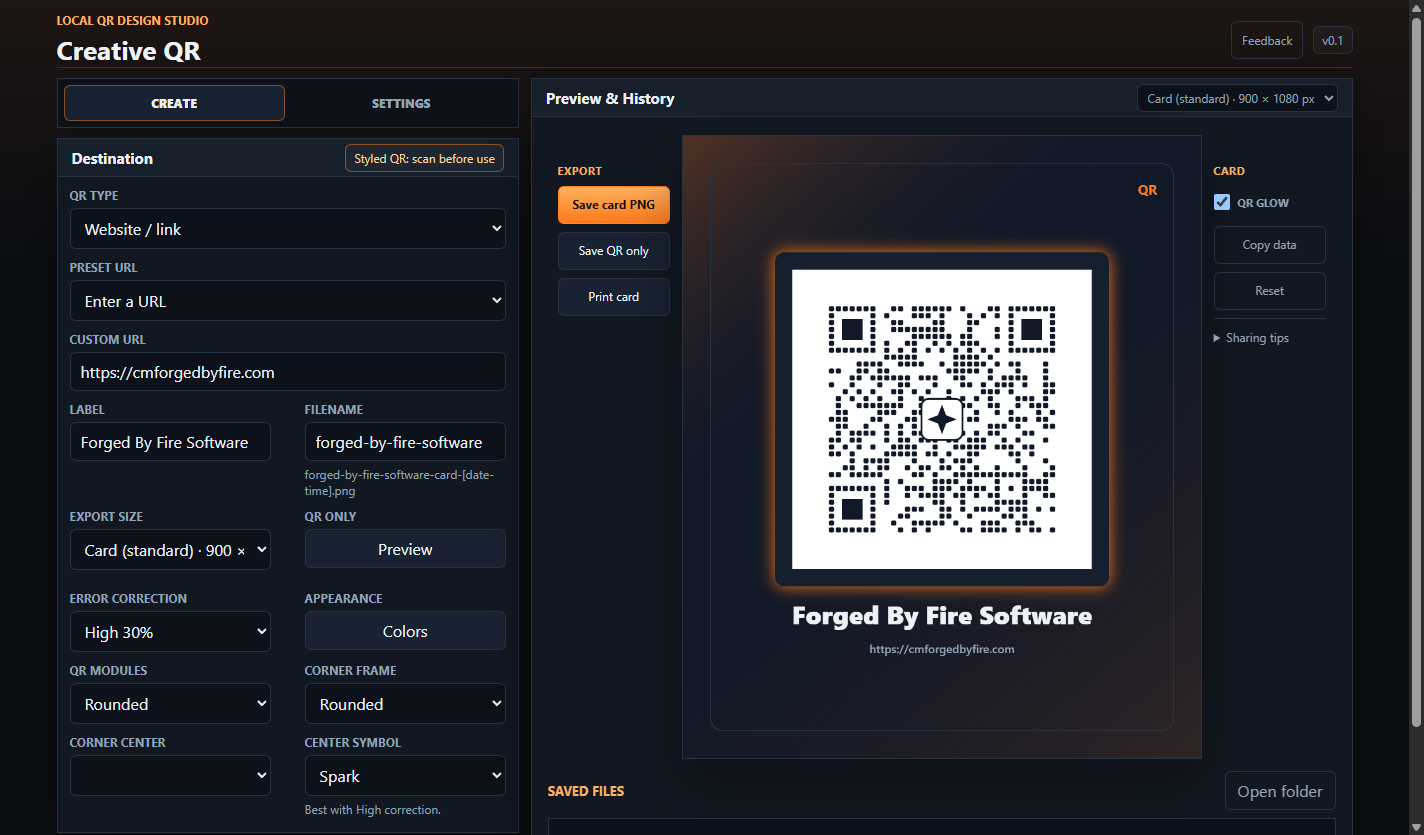
Website/link, contact card, email draft, text-message draft, phone number, Wi-Fi connection details or plain text. Enter your own information and save reusable website presets.
Choose QR ink and paper colors, card palettes, backgrounds, frames and glow. Try different QR patterns and corners, or add a PNG, JPG or WebP center icon.
Preview the QR-only image with an adjustable size. Export PNGs, print a card, and open, rename or delete saved images from the app.
Start with the standard 900 × 1080 card. Other presets include square, sticker, flyer, story, widescreen, 4 × 6, Letter and A4. These define PNG dimensions; physical print size depends on your printer's paper and scaling settings.
Scan your final image with a phone before sharing or printing. Decorative patterns, colors and center icons can affect readability. Creative QR v0.1 creates codes; it does not include a camera scanner.
QR creation and exports work offline. Your saved profile and presets stay on your device, and exported images contain the information you entered. Creative QR does not add a hosted redirect or an expiration date to your codes; the linked website or other destination still needs to remain valid.
Use Feedback beside the version number if you want to send a message to the developer. Sending uses the internet and includes your message, category, optional reply email and app version. QR contents, icons and saved profiles are not attached automatically.